How to Use Price Multiplier
Switching between what the cabinets cost you and what they cost the customer in KitchenDEV Pricing & Ordering software, using the price multiplier.
 KitchenDEV1 min read
When you need to see the cost of cabinets to you and the cost of cabinets to the customer, use the particular ability of KitchenDEV Pricing & Ordering software to switch between the two prices.
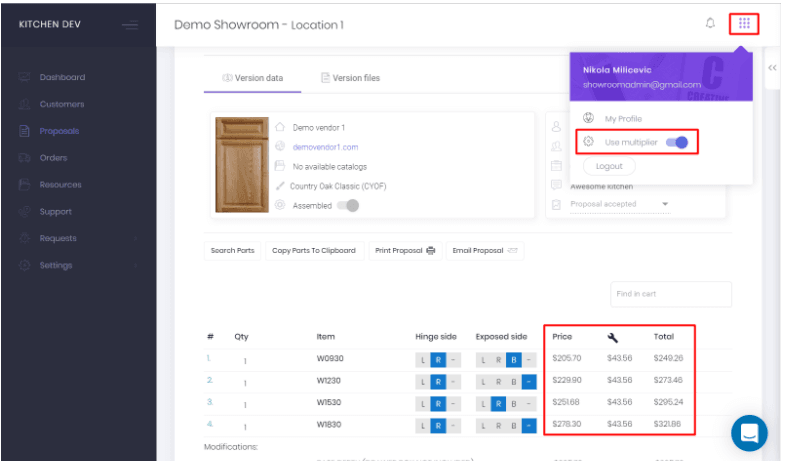
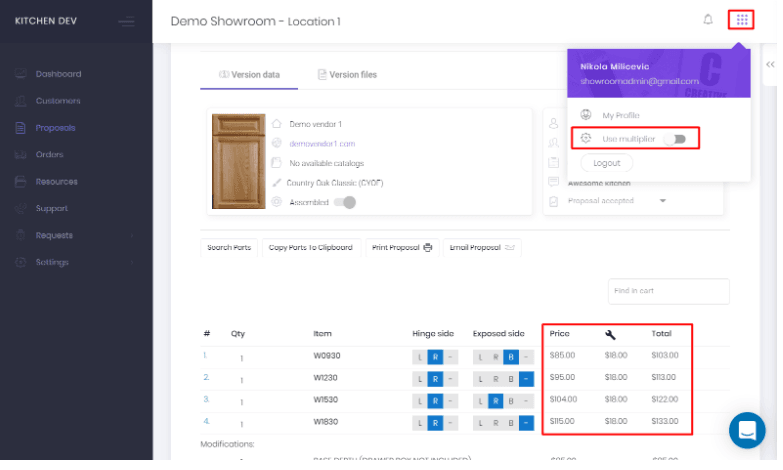
In the top right-hand corner, you will see a dropdown with Use Multiplier option. Switching it ON/OFF will change the prices in the estimate, so you can see both your cost and the price the customer will pay to you. You can define a unique multiplier value for each cabinet manufacturer. For example, TSG 2.5, Fabuwood 2, etc.
This is how it looks like when the Multiplier is OFF.
These are the prices when the Multiplier is ON.