2020 to ERP Connector
Stop retyping 2020 orders into your ERP
Upload the order from Design Flex (formerly 2020 Design). The connector matches every item to your ERP codes, lets you review it, then creates the quote, sales order, purchase order or invoice you need, with options, modifications and pricing.For manufacturers, distributors and dealers who design in 2020 and run on an ERP.
Bring a 2020 file and the order it became.
Trusted by
Why retype an order that's already designed?
The kitchen is designed and priced in 2020. Then someone types every cabinet, option and modification into the ERP, line by line.
The item codes don't match, so they get looked up by hand. A finish upcharge gets missed. A vendor suffix gets dropped, and the purchase order goes to the wrong vendor.
The error shows up when the vendor's acknowledgment comes back.
Four steps, 2020 order to ERP
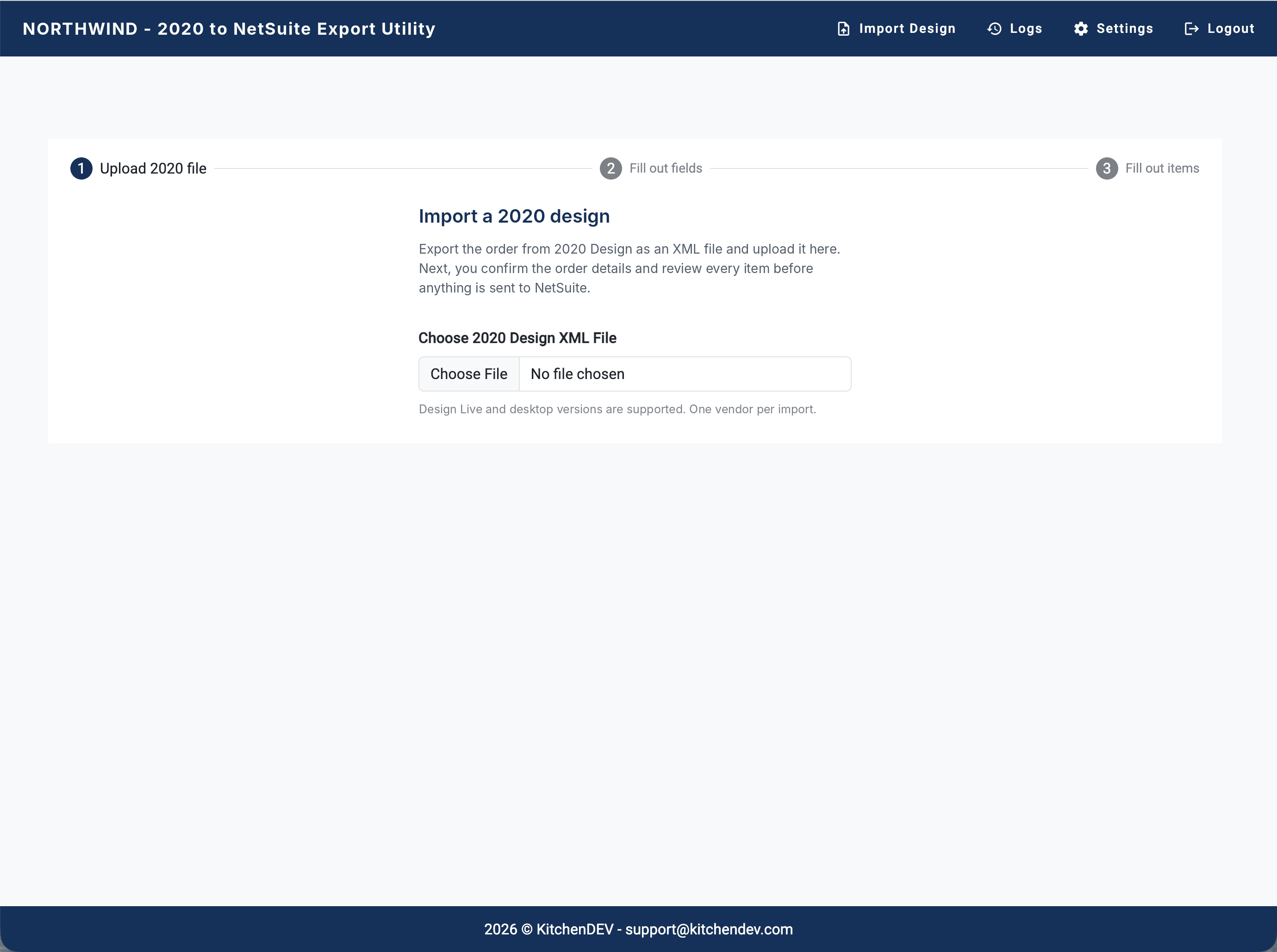
Upload the 2020 order.
Export the order from Design Flex (formerly 2020 Design Live) or the 2020 Design desktop version, and upload the file.
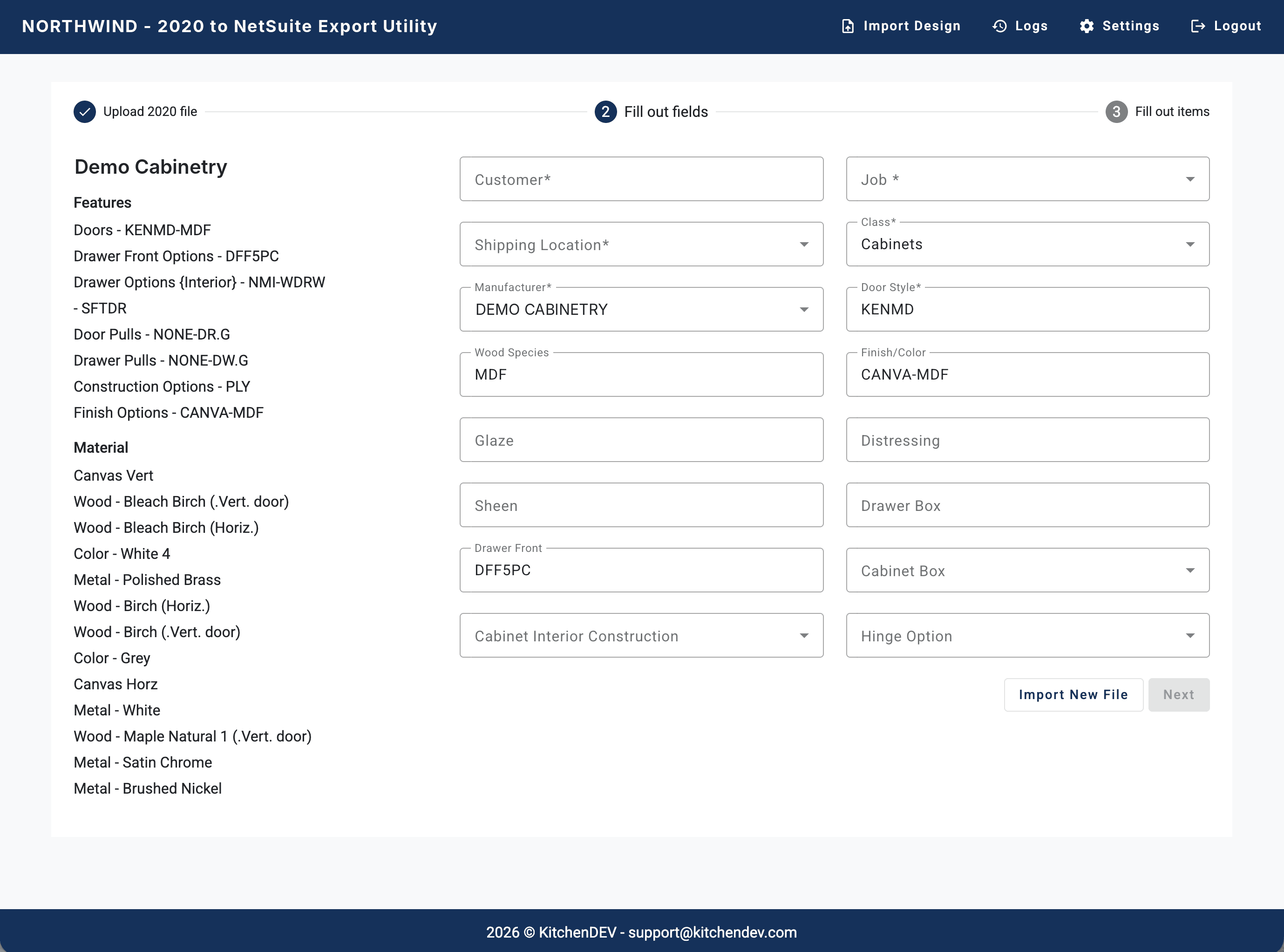
Fill in the order details.
Pick the customer, job and shipping location. The style, species and finish come in from the 2020 file. The fields match the sales order form in your ERP, set up for you.
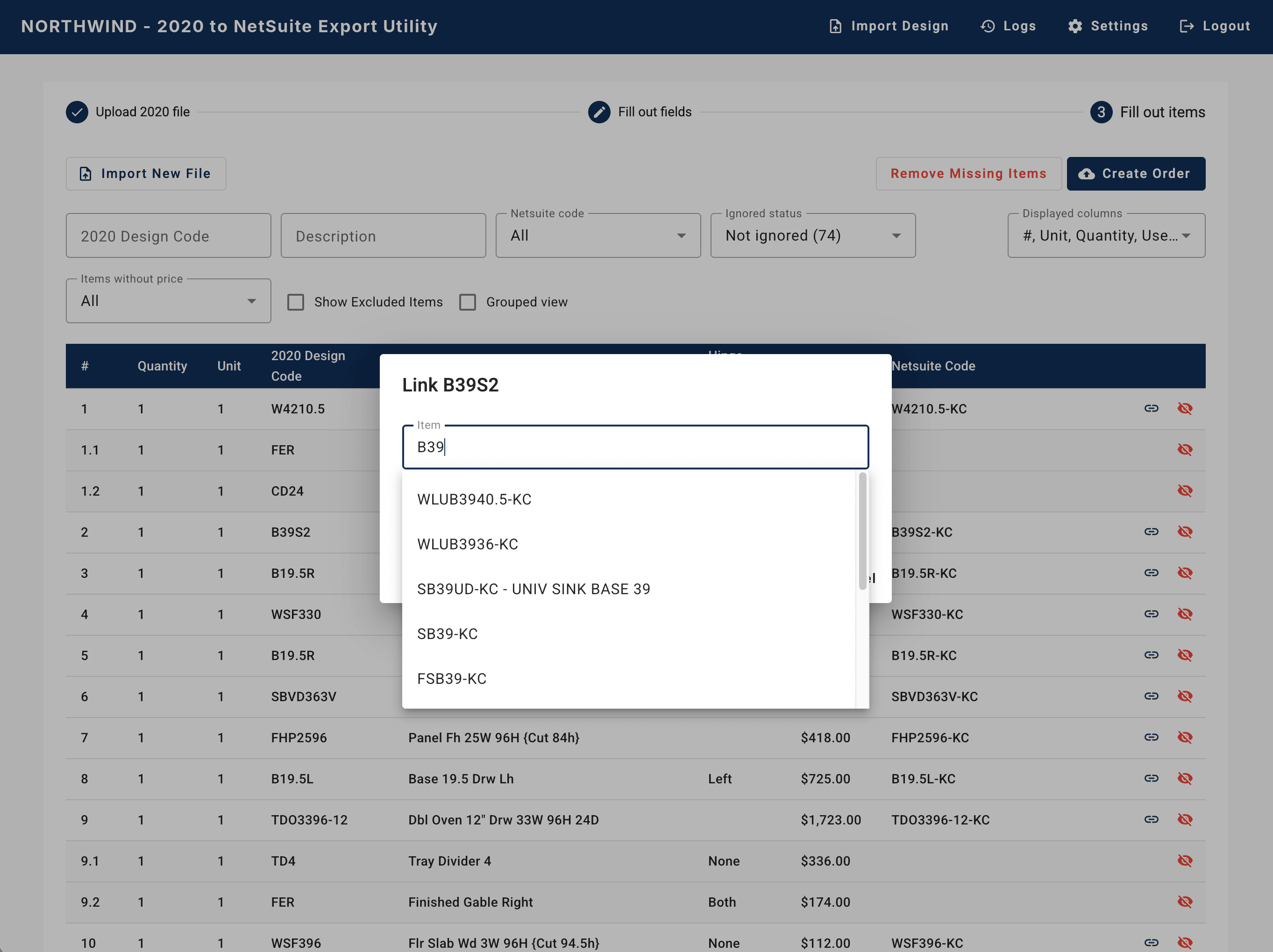
Match the items.
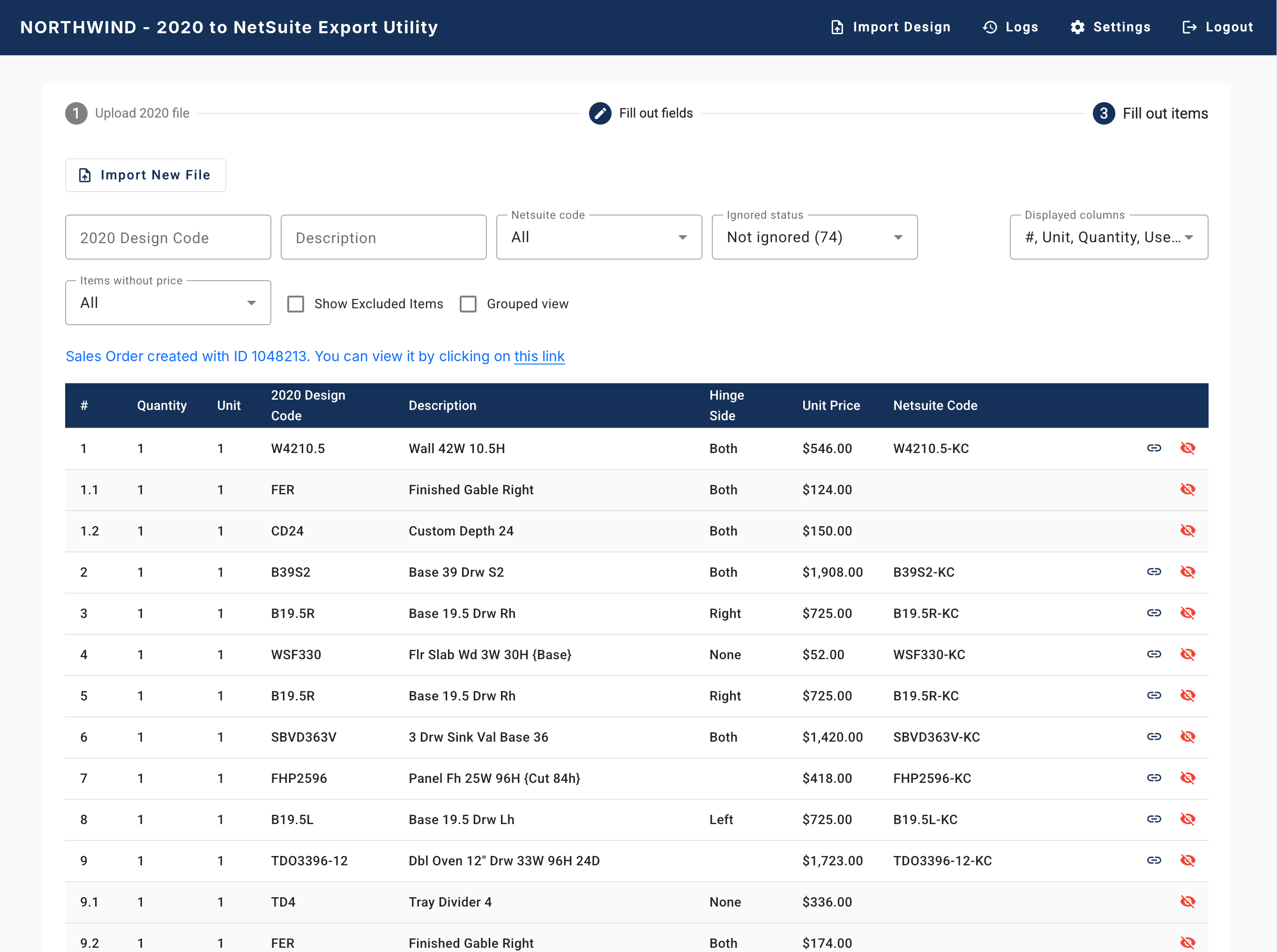
Each 2020 item is matched to your ERP item code, even when codes, names or spellings differ. Confirm a match once and every later import uses it.
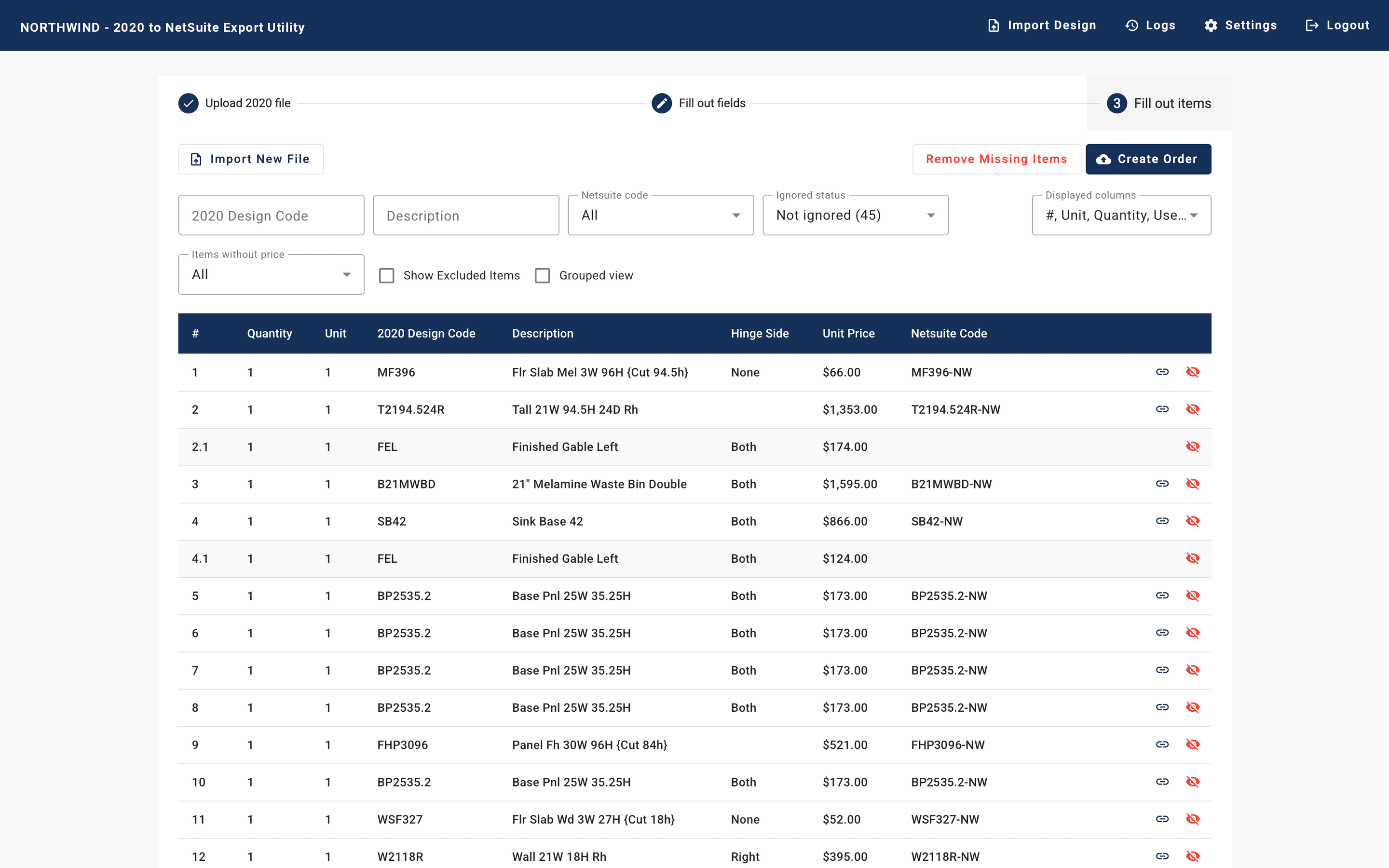
Create the transaction.
The connector creates the quote, sales order, purchase order or invoice in your ERP, with location, vendor, items, options, modifications and pricing.
Who it helps
Order entry
Upload the 2020 file instead of typing every cabinet, option and modification line by line.
Purchasing
Every line carries its vendor, so it routes to the right purchase order.
ERP admin
Nothing reaches the ERP until someone approves it. Confirm an item match once and every later import uses it.
What clients say
- 2020Connector in production since
- 100,000+estimates and orders processed on KitchenDEV since 2018
“99%, it's right on target, and it's translating over perfect.”
Everything on the order comes across
What the designer put on the order arrives on the ERP line:
- Location and subsidiary
- Vendor, so each line routes to the right purchase order
- Items with their 2020 descriptions
- Options and modifications, including notes
- Pricing, line by line
Works with the ERP you run


 Business Central

NetSuite, Acumatica, Microsoft Dynamics 365 Business Central, QuickBooks Desktop and Online, Sage, and other ERPs with a well-documented open API.
We set it up for every vendor you order from
Every vendor builds its 2020 catalog differently. We map each one, test it against your real orders, then you go live. A vendor usually takes at least a week of back-and-forth to map and test.
Questions people ask
No. Your team uploads the order, reviews it and sends it. Nothing reaches the ERP until someone approves it.
Yes, both.
Each vendor goes out as its own export, because each becomes its own purchase order. Several product lines from the same vendor can go in one import.
That's what the matching step is for. Confirm a match once and it's used from then on.
No. The connector is sold on its own.
They aren't a standard input. We scope them with you.
Bring a 2020 file and the order it became
We look at both ends, show you how the import would map, and tell you what setup involves for your ERP and vendors.