What cabinet bidding software do installed sales and interior finishes suppliers use?
Installed sales and interior finishes suppliers bid cabinet packages in KitchenDEV Builder Programs, with labor by market and freight on each bid.
 Eric E. Yildiz3 min read
Installed sales and interior finishes suppliers bid cabinet packages for production builders with plan-based bidding software that prices labor by market and puts freight on every bid. KitchenDEV Builder Programs is cabinet bidding software for that work, with labor priced per market, freight set on each bid and one cover sheet per plan for the builder.
Installed sales, builder services and interior finishes are three trade names for one business: selling cabinet packages to production builders, priced at the plan.
Why does showroom vocabulary not fit an installed sales team?#
An installed sales team works in plans, series, base houses, markets, communities, option levels, cover sheets and box counts. Showroom software works in leads, estimates, proposals and designers. KitchenDEV has seen showroom labels confuse builder services teams four separate times, and plans called "proposals" is the one that comes up most. During one builder services setup in 2026, KitchenDEV renamed the settings labels so that cities became markets and labor charges became labor and freight.
Each builder's series, with its own door, hardware and crown levels, is explained in per-builder cabinet pricing by option level.
How does KitchenDEV Builder Programs price labor by market?#
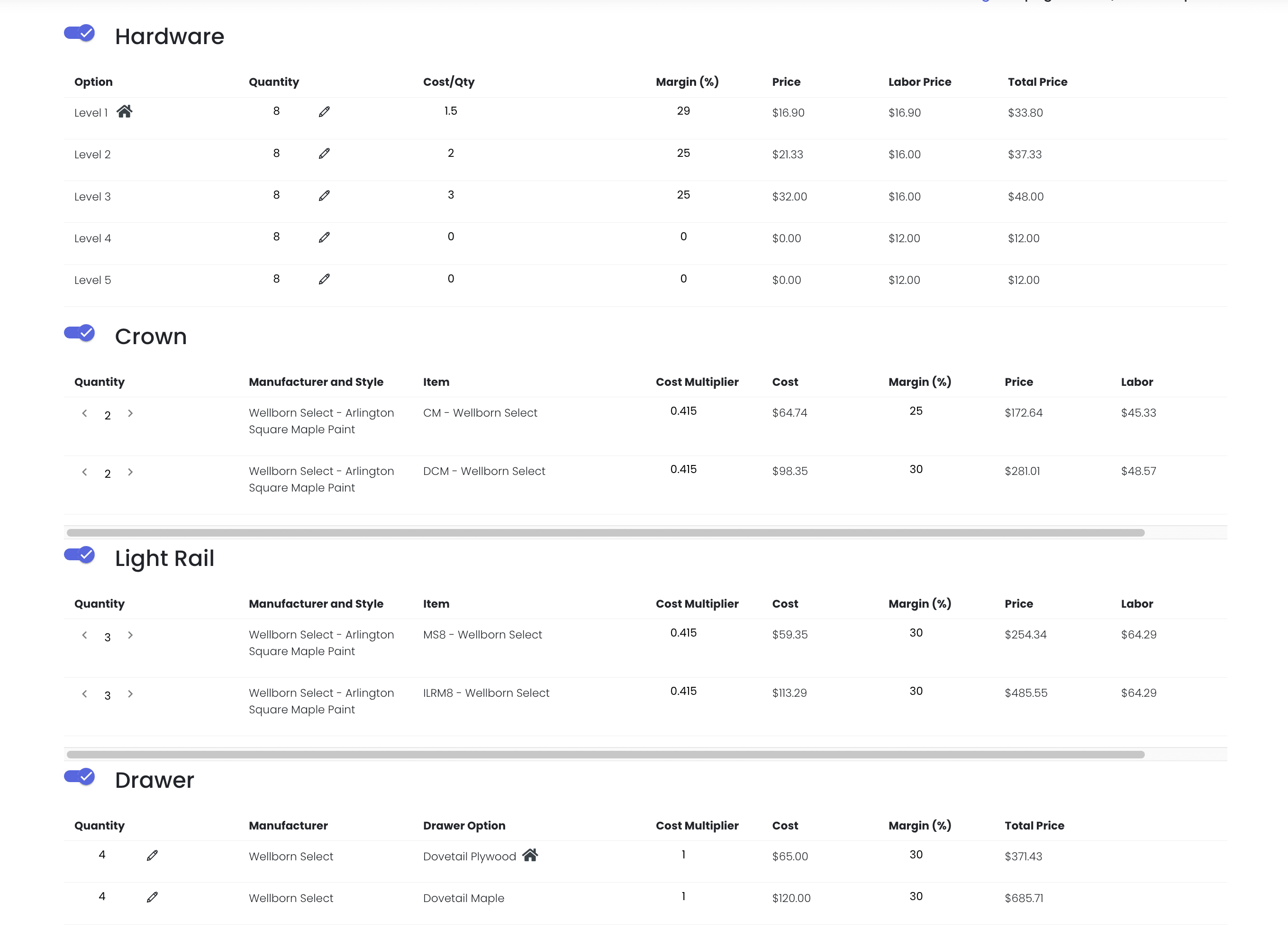
- Labor per market. Each market carries its own labor pricing in KitchenDEV Builder Programs.
- Market changes recalculate. Changing the labor market on an existing bid recalculates the labor prices automatically.
- Labor charges in bulk. Labor charges can be imported and downloaded, and a mismatch list shows, tab by tab, which catalog subtypes have no labor charge yet.
- Hardware labor with margin. Hardware labor charges carry their own Margin % with a calculated Total column.
How is freight set on a cabinet bid?#
Freight in KitchenDEV Builder Programs is set on the bid's Setup tab as Factory or Volume delivery, next to tax with a per-project override. KitchenDEV Builder Programs applies freight as a percentage multiplier. Freight priced as a flat amount per box is not supported, so a supplier that buys full truckloads at a per-box rate should bring that up in the demo.
What does the builder see on the cover sheet?#
The builder gets one Excel cover sheet per plan from KitchenDEV Builder Programs, with Builder, Series, Plan Number, Plan Name, Market, Community, Box Count and Date rows. Upgrades are listed from cheapest to most expensive next to the base house price. Any section can be left out with a toggle, so the supplier decides what the builder sees. The steps are in building a builder cover sheet faster than in Excel.
How does an installed sales team get started?#
Setup for KitchenDEV Builder Programs starts with the shape of the program: how many builders, how many active communities or plans, how many markets, how many vendors or lines, and how many estimators. The series is the bulk of the work, and the supplier's own estimators usually end up building series themselves. Deciding early who at the supplier may build or change a series saves rework later.
The whole bid, from plan to cover sheet, is laid out in software for bidding cabinet packages to production builders.
FAQ#
No. KitchenDEV Builder Programs applies freight as a percentage multiplier set on each bid, and a flat amount per box is not supported.
Yes. Changing the labor market on an existing bid in KitchenDEV Builder Programs recalculates the labor prices automatically.
No. Percentage-based attributes and upcharges are not supported in KitchenDEV Builder Programs.
See labor, freight and the cover sheet on the KitchenDEV Builder Programs page, or book a demo with one plan, your markets and the freight rates you use today.